
Vello campaigns: Campaign reports
After you send a Vello campaigns email, Vello makes a campaign report that gives easy visual access to data about the email message.
A campaign report uses data from a sent Vello campaigns email. A campaign report makes it easier for your practice to:
- Measure the marketing performance of different emails that you sent
- Compare data of specified periods and measure improvements
The metrics that a campaign report shows includes the number of times that clients:
- Received an email or not
- Identified an email as spam
- Opened an email
- Selected one or more links in an email
- Unsubscribed from an email
To get access to campaign reports for your practice, select View all reports in the Campaigns screen. The Campaign reports screen opens:
After you send a Vello campaigns email, Vello automatically syncs data to a campaign report at intervals of 30 minutes during the next seven days.
Campaign report filters
A campaign report has filters that you can use to show different data:
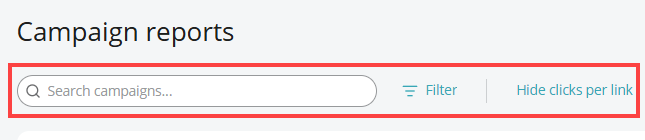
This table gives each filter and its function:
| Filter | Function |
|---|---|
| Search campaigns | Enter the name of a Vello campaigns email in the Search campaigns box to get access to the applicable data for the email. |
| Date Range | After you select Filter, use Date Range to get access to the applicable reports of a specified period. The available periods are:
|
| Hide clicks per link | Use Hide clicks per link to hide the metrics and data related to links that clients can select in an email. After you hide the metrics, the button shows Show clicks per link. |
Note: An email that you sent before campaign reports were available shows We don’t have any metrics for this campaign.
Campaign report metrics
You can get access to different metrics in a campaign report:
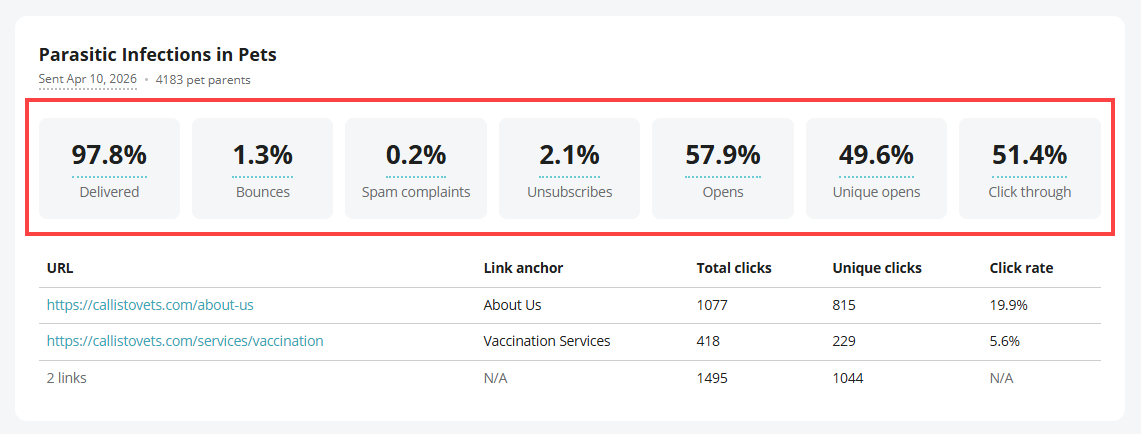
This table gives each metric and more information about it:
This table gives each metric and more information about it:
| Metric | Information |
|---|---|
| Delivered | The Delivered metric identifies the number of emails that clients received correctly as a percentage of the total number of emails that Vello sent. |
| Bounces | The Bounces metric identifies the number of emails that clients did not receive correctly as a percentage of the total number of emails that Vello sent (for example, if Vello tried to send an email to an email address that does not operate correctly). |
| Spam complaints | The Spam complaints metric shows the number of clients that identified the email that they received as spam. The number shown is a percentage of the total number of emails that Vello sent. |
| Unsubscribes | The Unsubscribes metric shows the number of clients that unsubscribed from the email. The number shown is a percentage of the total number of emails that Vello sent. |
| Opens | The Opens metric shows the number of times that clients opened the email. The number shown is a percentage of the number of emails that clients received correctly (the Delivered metric). Note: The Opens metric can show a percentage of more than 100 because of email preview settings. |
| Unique opens | The Unique opens metric shows the number of times that different clients opened the email for the first time. The number shown is a percentage of the number of emails that clients received correctly (the Delivered metric). |
| Click through | The Click through metric shows the number of times that clients selected links in the email that they opened. The number shown is a percentage of the Opens metric. |
A Vello campaigns email can include one or more links. A campaign report for the email includes metrics for the links:
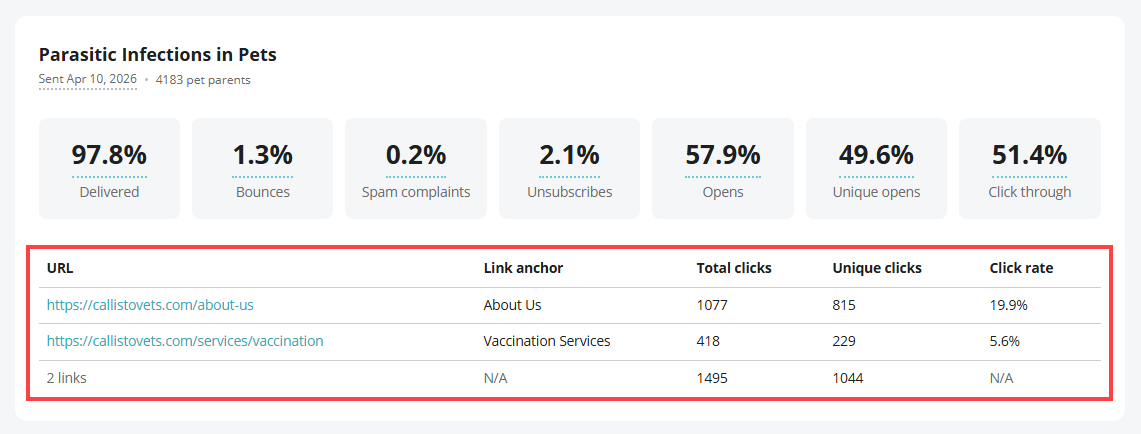
The table of links shows the URL and the Link anchor of each link. This table gives each metric for an email link and information about it:
The table of links shows the URL and the Link anchor of each link. This table gives each metric for an email link and information about it:
| Metric | Information |
|---|---|
| Total clicks | The Total clicks metric shows the number of times that a client selected a link in the email. If one client selected a link more than one time, the metric includes this data. |
| Unique clicks | The Unique clicks metric shows the number of clients that selected the link at least one time. If one client selected the link more than one time, the metric counts that client one time. |
| Click rate | The Click rate metric shows the number of clients that selected a link in the email as a percentage of the number of clients that received the email correctly. |