Control how clients tell you that their pet is deceased
To tell your practice that their pet is deceased, clients can use the client portal or make a phone call.
Note: For Cornerstone customers, you can only do the steps given in this documentation after a practice manager:
To control how clients tell your practice that their pet is deceased, select Edit in the Allow pet owners to mark pets as deceased section:- Makes sure that your practice has Cornerstone version 9.6 or higher
- Activates Auto assign for Client ID in Cornerstone
- Activates Auto assign for Patient ID in Cornerstone
For more information, refer to the applicable Cornerstone documentation:
This table gives each setting and its function:
| Setting | Function |
|---|---|
| Direct update | If you select Direct update, clients can use the client portal to tell your practice that their pet is deceased. Note: Vello does not automatically let clients use the client portal to tell your practice that their pet is deceased. If you want to let clients use the client portal to tell you, you must select Direct update. If a client uses the client portal to tell you that their pet is deceased, Vello automatically makes the change to the applicable patient record in your PIMS. As a result, it is not necessary for practice staff to make the change to the patient record directly in your PIMS. |
| Call to update | If you select Call to update, clients must contact your practice to tell you that their pet is deceased. As a result, practice staff must manually make the change to the patient record in your PIMS. |
What clients can do in the client portal
If you select Direct update in the Allow pet owners to mark pets as deceased section, clients can:
- Select Update in the Pet Information screen
- Select Report Pet As Passed Away
- Select Confirm in the Report Pet As Passed Away screen
As a result, Vello:
- Shows the change immediately in the Vello client portal
- Syncs the change to the applicable patient record in your PIMS
- Does not send automatic appointment messages or medical service reminders for the deceased pet
- Shows a Patient deceased entry in the Notifications tab of the Requests & Notifications screen
If you select Call to update and a client selects Update in the Pet information screen, the client portal tells the client to contact your practice.
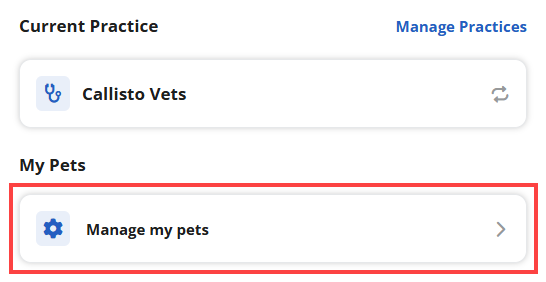
To get access to their deceased pet's information, clients can select Manage my pets in the Settings screen in Vello:
Monitor information about deceased pets
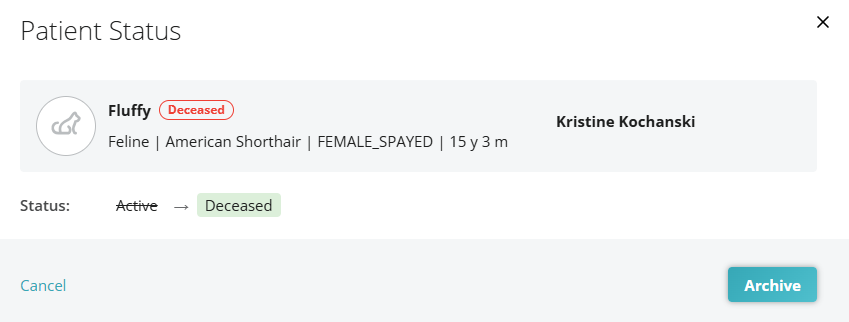
To monitor information about deceased pets, select a Patient status entry in the Notifications tab. As a result, Vello shows that a client used the client portal to tell you that their pet is deceased: